
If you set up an ALV grid as a VirtDB data source and then use the standard SAP functionality to export the ALV to a file, sometimes the column headers may be truncated. In this case, change the data source settings and set the "Automatic start" option to "Do not start":

If you run the report with this setting, all the possibly added extra fields will not be displayed automatically, but the file export will have the usual column headers.
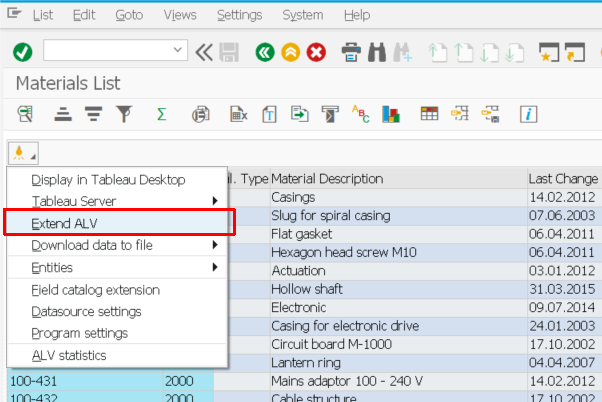
In order to display extra fields added using VirtDB Data Unfolder, you have to manually press the "Extend ALV" button:
Comments
0 comments
Article is closed for comments.